FTB Quest Progression Config
FTB Quest Progression Config allows players, pack developers or server admin to define which quest or chapter need to be completed before players are able to uncraft the item.
INFO
FTB Quests has to be installed and enable progression in Common Config
Config Options
The FTB Quest Progression Config uses a simple JSON key–value structure:
- Key → an item selector (supports wildcards and tags)
- Value → the id of the target chapter or quest
Key Format
You can target specific items, groups of items, wildcard patterns, or tags.
| Key Format | Description |
|---|---|
minecraft:oak_log | Selects the item oak_log from the Minecraft namespace. |
minecraft:oak* | Selects any item starting with "oak" in the Minecraft namespace. |
minecraft:*_log | Selects any item ending with "_log" in the Minecraft namespace. |
minecraft:* | Selects all items under the Minecraft namespace. |
minecraft:green_*_glass | Selects items that start with "green_" and end with "_glass" under the Minecraft namespace. |
#minecraft:planks | Selects all items inside the item tag minecraft:planks. |
Value Format
The value is a string copied from FTB Quest chapter/quest id.
| Value | Description |
|---|---|
6E52157866E1EC7F | Must be valid quest/chapter id copied from FTB Quest. |
FTB Quests Copy ID: 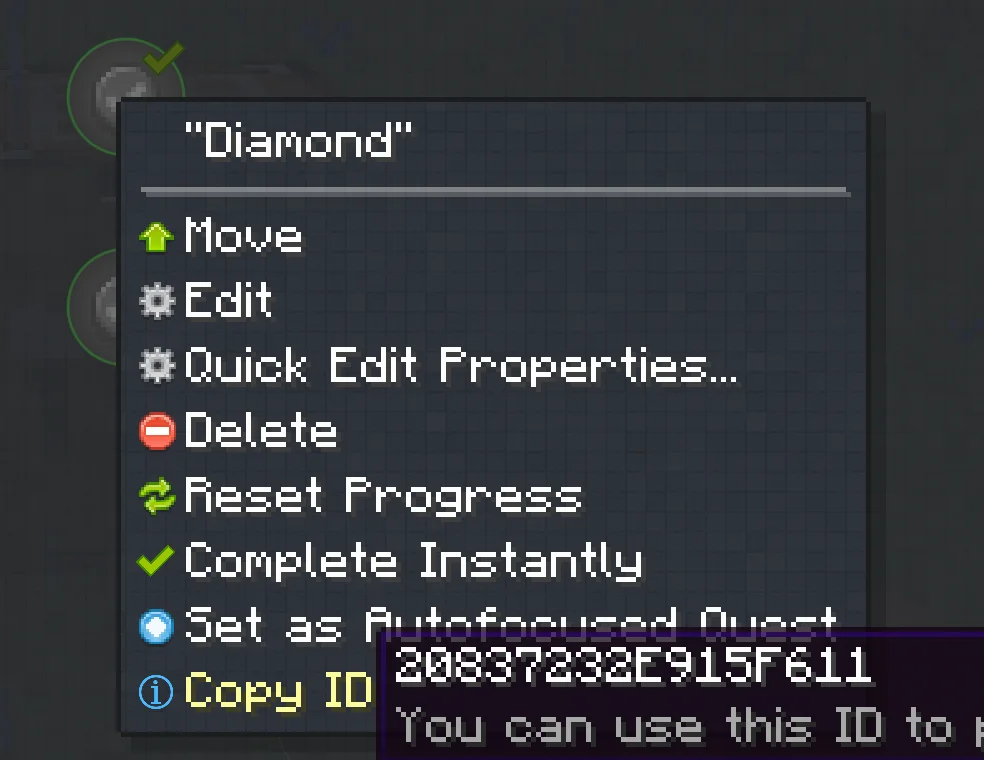
Config File
The ftb quest progression config file can be found under config/uncrafteverything-ftbquest-progression.json. Below will include an example of how the config file will look like:
{
  "minecraft:diamond*": "6E52157866E1EC7F"
}
In-game Config Screen
If you are not familiar with json, there is an in-game config screen for you to edit the config.
The config screen can be accessed by running command /ueconfig progression.
FTB Quest Progression Config Screen: 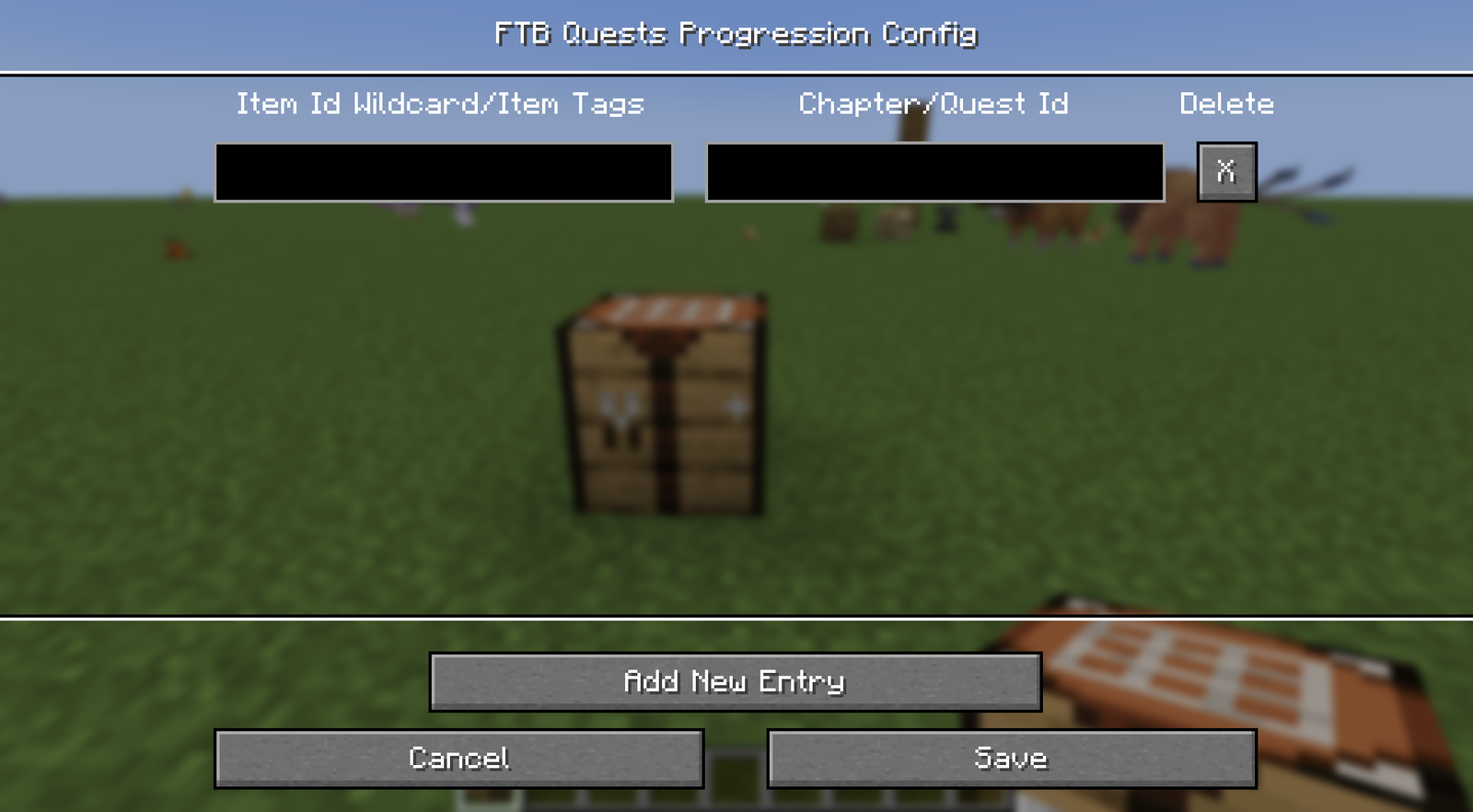
TIP
FTB Quest Progression Config Screen command only available if the player is in creative mode or has Admin Permission and FTB Quests is installed.